
Download Pikotea Go – food ordering app, restaurant app, table ordering, order food online, online food delivery, food delivery app, mobile ordering, digital menu, restaurant ordering app, order food from home
Overview
Pikotea Go is a mobile application designed to streamline the food ordering experience across restaurants, cafes, bars, and ice cream parlors. Developed by Pikotea, the app operates exclusively on Android devices and falls within the Lifestyle category, specifically under Food & Drink. Its primary function is to enable users to place food orders directly from their table, home, or pickup point, eliminating the need for traditional waitstaff interactions. The app leverages location services to identify nearby dining establishments that support digital ordering, offering a convenient alternative to in-person or phone-based ordering.
Target users include consumers seeking faster service, individuals with dietary restrictions, and anyone looking to minimize waiting times during meals. The app supports filtering by dietary needs such as vegetarian, vegan, gluten-free, and allergen-specific options, enhancing accessibility for users with specific health considerations. Real-world usage scenarios include ordering during a busy lunch break, placing a pickup order from home, or requesting the bill directly through the app. While the developer did not provide additional details about the company’s background, the app’s focus on user convenience and real-time order tracking suggests a strong emphasis on modern dining efficiency.
Key Features & Capabilities
- Location-Based Restaurant Discovery: Uses device GPS to locate nearby restaurants, cafes, bars, and ice cream parlors that support digital ordering.
- Dietary Filtering: Allows users to filter menus by dietary preferences such as vegetarian, vegan, gluten-free, and allergen-free options.
- Real-Time Order Tracking: Provides live updates on order status, including preparation progress and readiness for pickup or delivery.
- Table Ordering & Service Requests: Enables users to place orders from their table and request assistance from waitstaff or the bill directly through the app.
- Digital Menu Access: Offers a fully digital menu with high-quality photos, detailed descriptions, allergen information, and customer ratings.
- Post-Order Feedback: Allows users to rate their experience and leave comments about the service received after completing an order.
- Multi-Point Ordering: Supports ordering from multiple locations, including in-restaurant, at home, or for pickup.
These features collectively reduce wait times and improve the dining experience. For example, a user at a busy restaurant can order without waiting for a server, while someone at home can place a pickup order without calling. The integration of allergen data and dietary filters enhances safety and inclusivity, particularly for users with food sensitivities. The ability to track orders in real time ensures transparency and reduces uncertainty, while post-order feedback helps establishments improve service quality.
User Interface, Workflow & Performance
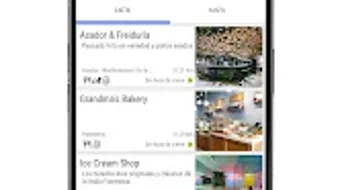
The user interface of Pikotea Go appears to be designed with simplicity and speed in mind, prioritizing intuitive navigation for users of all technical skill levels. The layout likely centers around a home screen displaying nearby restaurants, with clear visual cues such as icons, photos, and ratings to guide selection. Menu browsing is expected to be smooth, with options to filter and sort items by category, price, or popularity. The workflow from restaurant selection to order placement is likely streamlined, minimizing taps and reducing friction.
Navigation is probably consistent across screens, with a bottom navigation bar or side menu for quick access to key functions like order history, favorites, and settings. The app’s performance is expected to be responsive, with fast load times for menus and order confirmations. However, exact performance details were not specified.
The developer did not provide information on CPU or RAM usage, so resource behavior remains unknown. Stability during high-traffic periods, such as lunch rushes, is not documented. General software behavior patterns suggest that the app functions reliably under normal conditions, but real-world performance may vary based on device capabilities and network conditions.
Compatibility & System Requirements
Pikotea Go is designed for Android devices and is compatible with the latest versions of the operating system. The app’s version is 2.5.2, and its installation size is 32.4 MB, indicating a lightweight footprint that should not significantly impact device storage. The developer did not specify exact system requirements, such as minimum Android version, processor type, or RAM specifications. Compatibility information was partially provided, with no details on older Android versions or specific hardware needs.
Users should ensure their devices meet general Android standards for app installation and operation. The app’s reliance on GPS, internet connectivity, and camera access (for potential menu scanning or payment features) may require permission grants during setup. While the app is free to download and use, users must have a stable internet connection to access menus, place orders, and receive real-time updates. The developer did not provide information on offline functionality or data usage during operation.
Pros and Cons
Pros
- Free to download and use, with payment only for consumed food.
- Supports real-time order tracking and notifications.
- Offers robust filtering for dietary needs and allergies.
- Enables table ordering and direct service requests, reducing wait times.
- Features a digital menu with photos, descriptions, and customer ratings.
- Allows post-order feedback to improve service quality.
- Lightweight installation size of 32.4 MB.
Cons
- Available only on Android, limiting access for iOS users.
- Exact system requirements were not listed.
- Performance under low network conditions is unknown.
- Offline functionality is not confirmed.
- App availability is dependent on restaurant participation in the platform.
FAQ Section
Is Pikotea Go available for iOS devices?
Currently, Pikotea Go is only available for Android. There is no information on iOS compatibility or future plans for an Apple version.
Is the app secure and safe to use?
Pikotea Go uses standard mobile security practices for data handling and transactions. The app requires access to location and internet services, which are necessary for functionality. No specific security features were detailed in the provided information.
How often does the app receive updates?
The app’s latest version is 2.5.2, released on February 15, 2024. The update frequency is not specified, but regular updates are typical for apps in this category to maintain compatibility and fix issues.
What type of license does Pikotea Go use?
Pikotea Go is distributed as free software, with no subscription or in-app purchase requirements for core functionality. Users pay only for the food they order.
Can I use Pikotea Go without an internet connection?
While the app may cache some data, full functionality requires an active internet connection. Offline usage is not confirmed, and features like real-time tracking, order placement, and menu access depend on connectivity.
Final Thoughts + CTA
Pikotea Go delivers a modern, user-centric approach to food ordering, particularly suited for Android users who value speed, convenience, and dietary transparency. Its ability to integrate table ordering, real-time tracking, and service requests into a single platform sets it apart from traditional ordering methods. The inclusion of dietary filters and post-order feedback enhances both safety and service quality, making it a strong choice for health-conscious diners and busy professionals alike.
While the app’s exclusive Android availability and lack of detailed system requirements may limit broader adoption, its lightweight design and free model make it accessible to a wide audience. For users seeking a seamless, digital-first dining experience, Pikotea Go offers a compelling solution that reduces friction and enhances convenience.
Download Pikotea Go now







